Stimulsoft Reports and Dashboards 2026.2 has been released!
Posted: Fri Apr 24, 2026 1:26 pm
We are excited to announce the release of a new version of Stimulsoft Reports and Dashboards - 2026.2! In this version, you will find an embedded report viewer component for React applications, an AI assistant for designing analytical panels, parameter validation, a Range Selector filter element, and a new user data source.
Stimulsoft Viewer for React
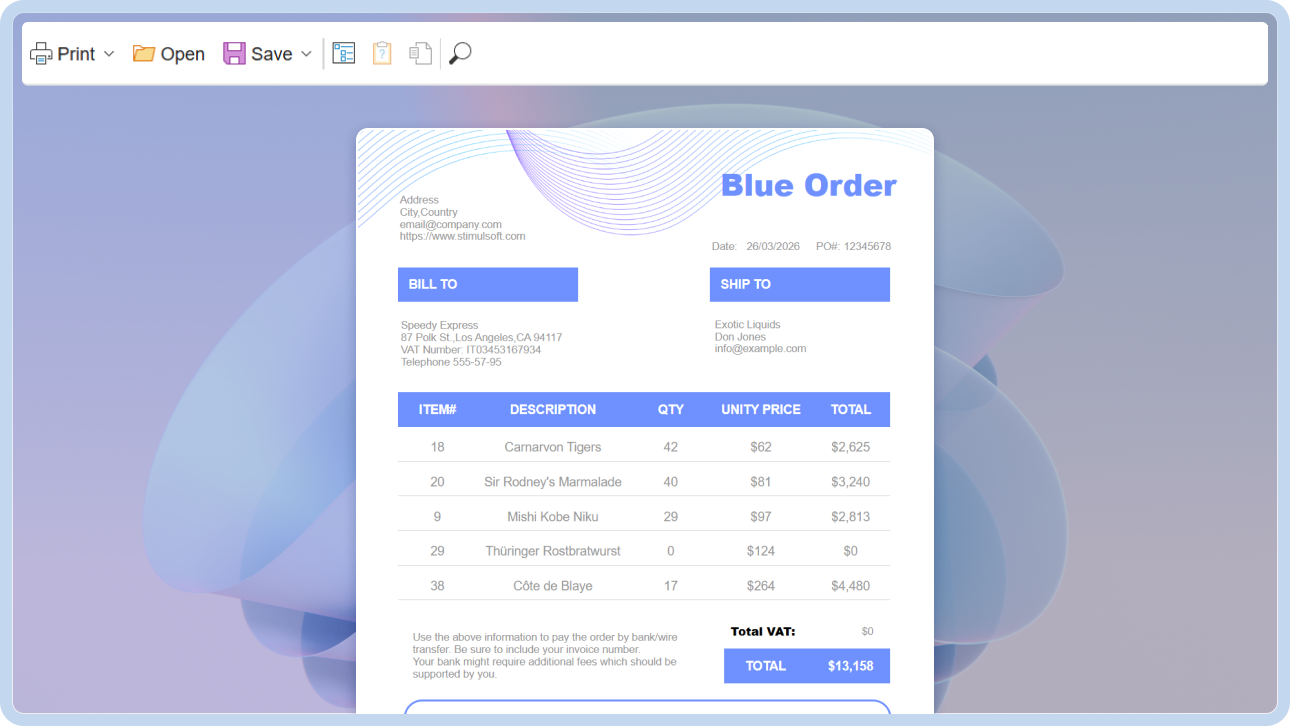
In the new version, we have implemented a React component for displaying and interacting with reports in web applications. The solution includes the Stimulsoft React Viewer component. The client-side component is distributed as an npm package, while the server-side component is available via the Stimulsoft.Reports.React NuGet package. This component is included with a Stimulsoft Reports.WEB subscription.
AI assistant for creating dashboards
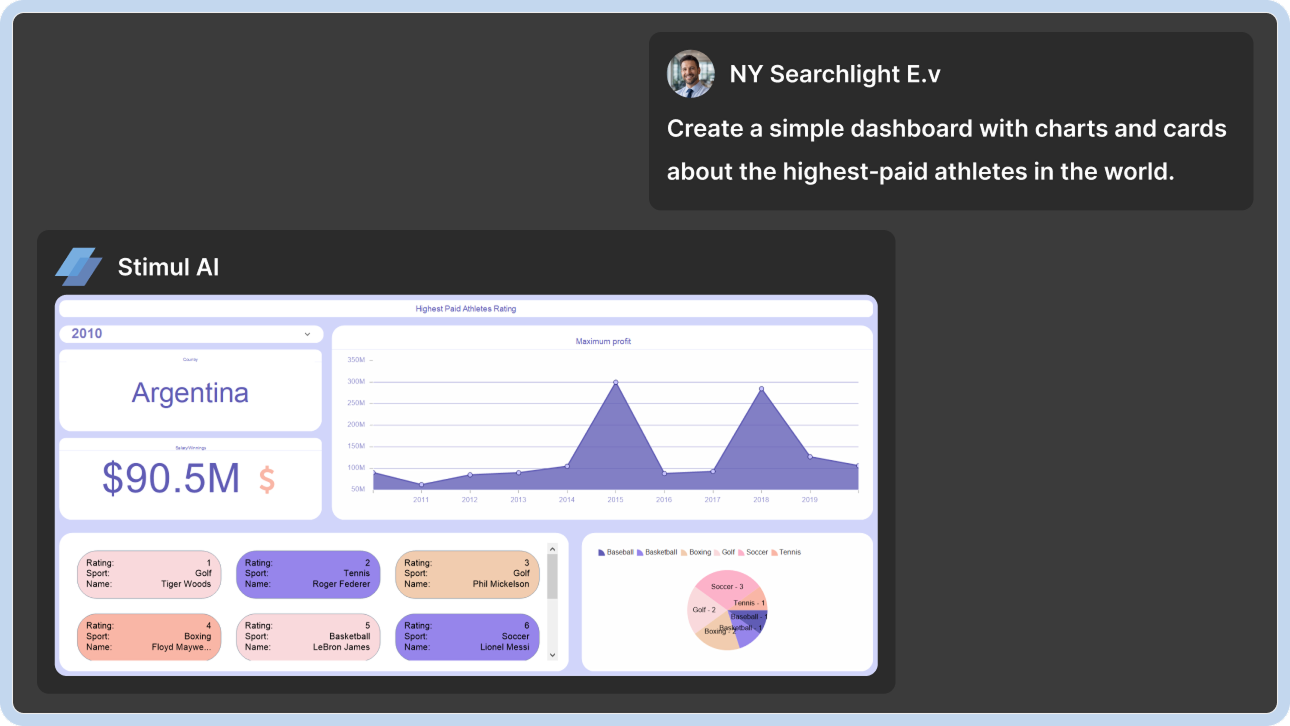
We have added an AI assistant for dashboard creation to Stimulsoft Designer. It allows users to create dashboards based on text prompts, using either new or existing data sources. Both simple and complex dashboards can be generated, and styles can be applied on-demand. To create a dashboard, select the Create Dashboard command in the AI assistant and write a text prompt.
Parameters validation
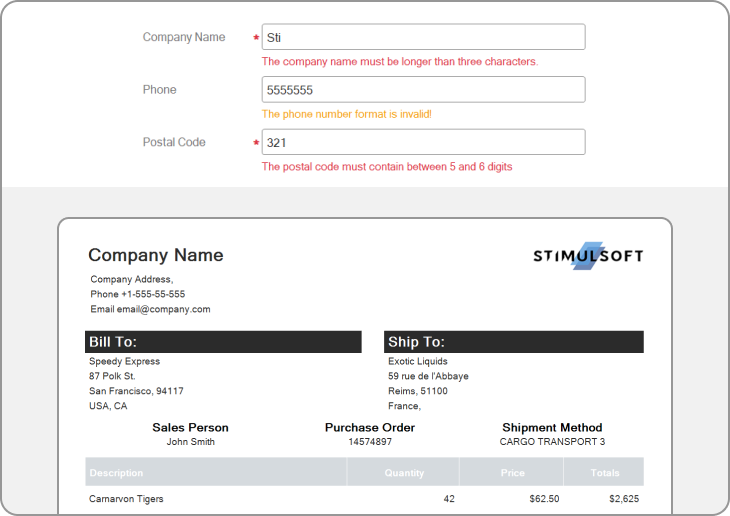
In Stimulsoft Reports, we have implemented validation of parameter values. It allows you to control user input. Validation can be performed using a value range, a calculated expression, or a regular expression. It can result in an error (the report will not be generated) or a warning message displayed in the parameters panel during report generation. A parameter can also be marked as required. Validation is configured in the report variable editor.
Stimulsoft Documentation MCP Server
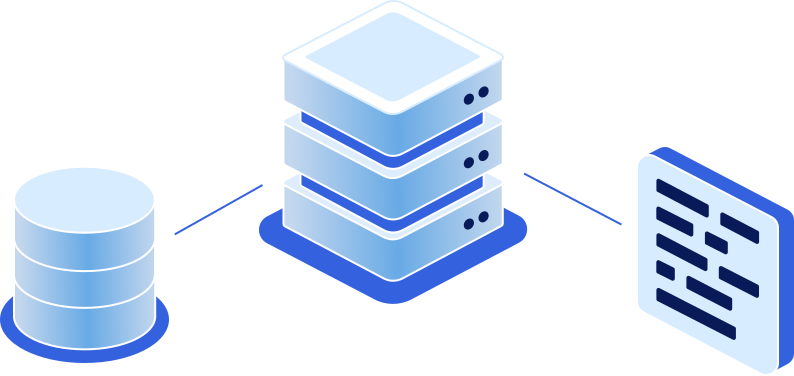
We have launched an MCP server for the official Stimulsoft documentation and connected AI assistants. After user configuration, AI assistants in Agent mode will be able to search the documentation, find code examples, and generate code for Stimulsoft components. Read more here.
Range selector in Dashboards
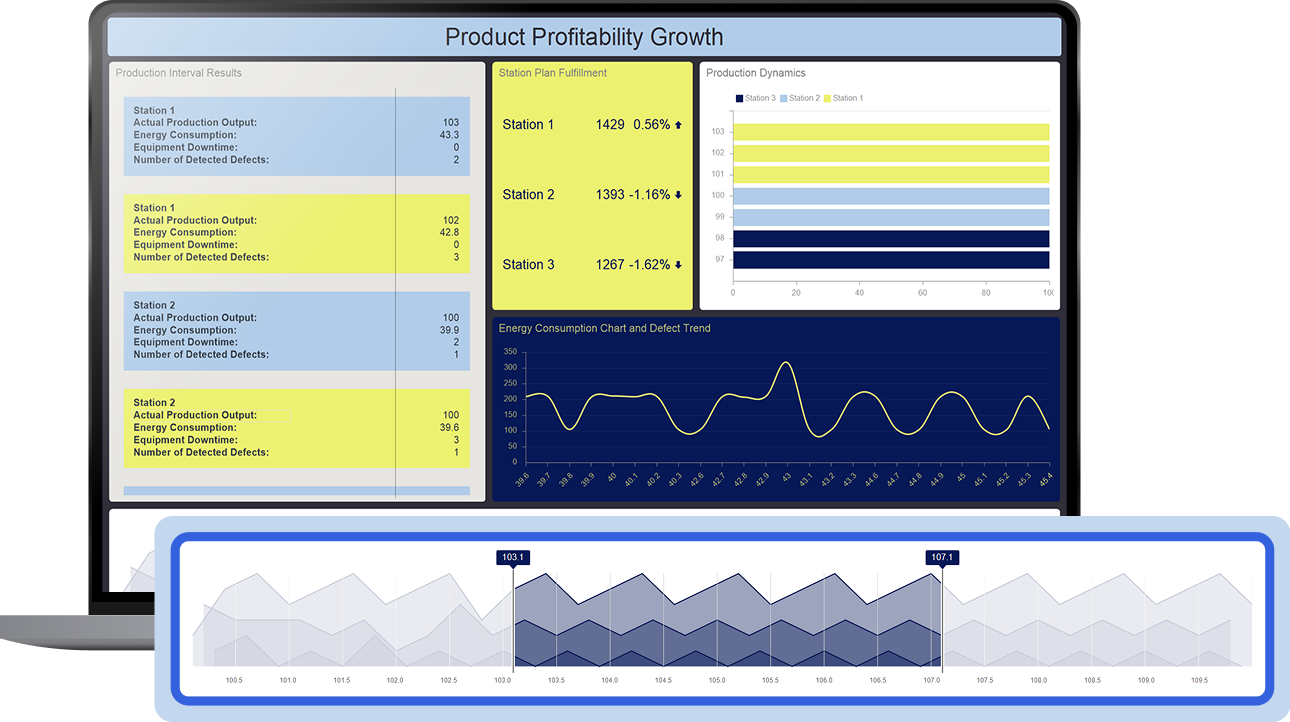
A new filtering element, the Range Selector, has been added to dashboards. It allows you to specify a list of values and use arguments and series to filter data. Values can be displayed as a line, area, or bar chart. Configuration is performed through the element editor and its corresponding properties.
New User Source powered by AI
In the new version of Stimulsoft Reports, we have added a New User Source, which can be created and populated directly in the report designer and used when developing reports and dashboards. Stimulsoft Designer also includes an AI assistant that allows you to quickly generate data using natural language queries.
Editing CSV/XML/JSON resources
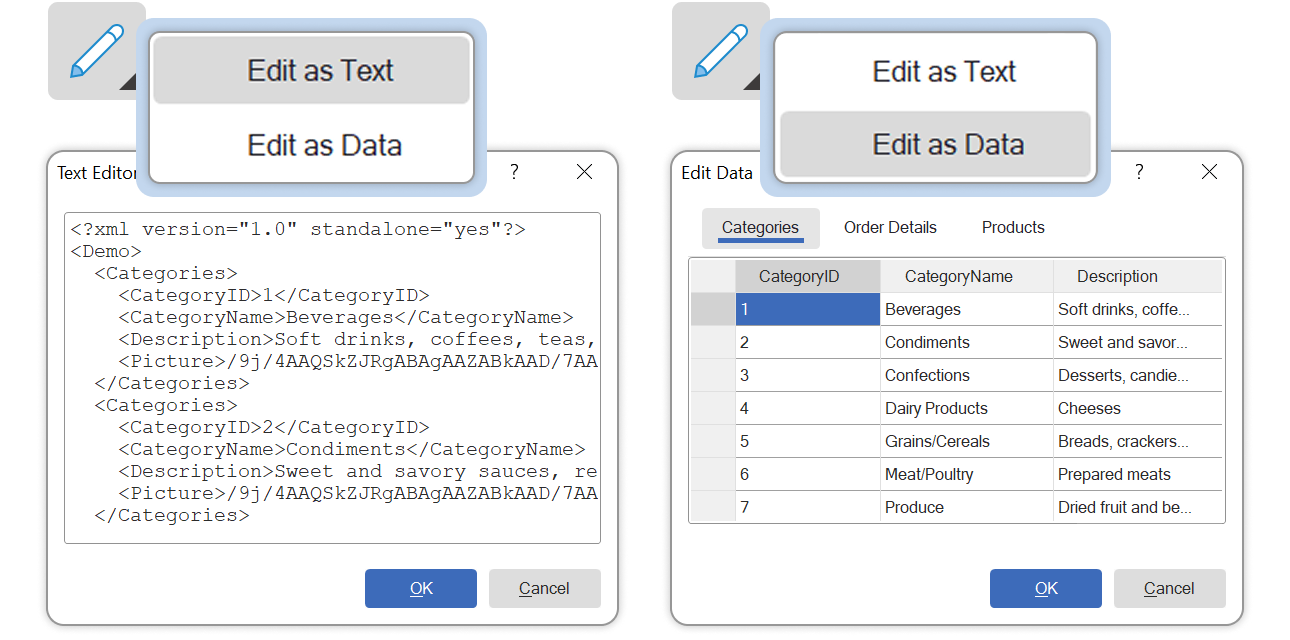
We have added the ability to edit CSV, XML, and JSON resources in the report dictionary. Two modes are supported: text editing and structured data editing. After making changes, data sources can be created from these resources for developing reports and dashboards.
Snapping page width to grid
Starting with release 2026.2.1, we have added the ability to align the right page border with the outermost vertical grid line. Previously, the page border did not align with the grid lines, which could lead to visual inaccuracies when positioning components. To enable alignment of the page border with the grid line, set the Snap Page Width To Grid page property to True.
UTC time conversion
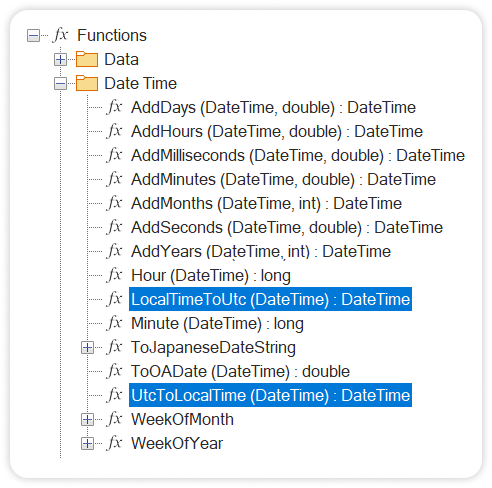
The UtcToLocalTime and LocalTimeToUtc functions have been added for converting time between UTC and local time. These functions automatically convert date and time values from UTC to the local time zone and vice versa.
New functions for determining the runtime environment
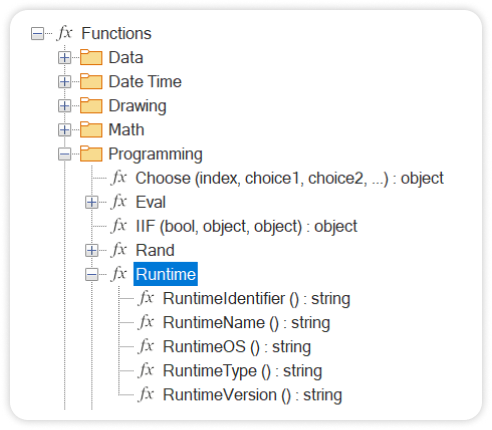
To determine the current runtime environment (type, name, and version), new functions - RuntimeType(), RuntimeName(), RuntimeVersion(), RuntimeIdentifier(), and RuntimeOS() - have been added to the Programming category. These functions can be used in scripts for report events, expressions, and more.
Wrapping values for chart legends
We have added the ability to wrap rows for legend values in report charts. Wrapping occurs if the Column Width property is set to a value greater than 0. To enable this feature, set the Word Wrap property in the Legend group to True.
Markdown documentation

Stimulsoft documentation is now available in Markdown format and is publicly available on GitHub, making it easier to find answers to most questions and to work with the materials directly in the repository.
AI data generation in Web
Web Designer now allows you to generate data using AI. Go to File > New > Get Data, click Generate Data with AI, and enter a prompt or select one from the examples. This feature is available only if the Show ‘Stimul AI’ option is enabled in the report designer settings. Otherwise, sample data will be loaded from a file.
AI Wizard in Web
The online version of the designer now supports an AI Wizard for creating reports from text queries based on connected data sources. It supports lists, reports with groups, master-detail reports, and more. You can disable the AI Wizard using the Show ‘Stimul AI’ option in the report designer’s Options window.
Unified NuGet packages
Starting with this release, NuGet packages with the *.NetCore suffixes are marked as deprecated. This is due to the end of support for .NET Core 3.1, which previously caused confusion in package naming. Universal packages are now used, without separation into cross-platform or Windows-specific versions. The updated packages automatically select the appropriate framework depending on the user’s project. For example, Reports.Web and Reports.Web.NetCore have been merged into a single package, Reports.Web. Similar changes have been applied to other packages as well.
ECMAScript 2020 (ES11)
Starting with this release, the script execution standard has been upgraded to ECMAScript 2020 (ES11). As a result, support for the ES5 standard has been discontinued. Version 2026.1.7 of Stimulsoft is the last version that supports ES5.
Stimulsoft Viewer for React
In the new version, we have implemented a React component for displaying and interacting with reports in web applications. The solution includes the Stimulsoft React Viewer component. The client-side component is distributed as an npm package, while the server-side component is available via the Stimulsoft.Reports.React NuGet package. This component is included with a Stimulsoft Reports.WEB subscription.
AI assistant for creating dashboards
We have added an AI assistant for dashboard creation to Stimulsoft Designer. It allows users to create dashboards based on text prompts, using either new or existing data sources. Both simple and complex dashboards can be generated, and styles can be applied on-demand. To create a dashboard, select the Create Dashboard command in the AI assistant and write a text prompt.
Parameters validation
In Stimulsoft Reports, we have implemented validation of parameter values. It allows you to control user input. Validation can be performed using a value range, a calculated expression, or a regular expression. It can result in an error (the report will not be generated) or a warning message displayed in the parameters panel during report generation. A parameter can also be marked as required. Validation is configured in the report variable editor.
Stimulsoft Documentation MCP Server
We have launched an MCP server for the official Stimulsoft documentation and connected AI assistants. After user configuration, AI assistants in Agent mode will be able to search the documentation, find code examples, and generate code for Stimulsoft components. Read more here.
Range selector in Dashboards
A new filtering element, the Range Selector, has been added to dashboards. It allows you to specify a list of values and use arguments and series to filter data. Values can be displayed as a line, area, or bar chart. Configuration is performed through the element editor and its corresponding properties.
New User Source powered by AI
In the new version of Stimulsoft Reports, we have added a New User Source, which can be created and populated directly in the report designer and used when developing reports and dashboards. Stimulsoft Designer also includes an AI assistant that allows you to quickly generate data using natural language queries.
Editing CSV/XML/JSON resources
We have added the ability to edit CSV, XML, and JSON resources in the report dictionary. Two modes are supported: text editing and structured data editing. After making changes, data sources can be created from these resources for developing reports and dashboards.
Snapping page width to grid
Starting with release 2026.2.1, we have added the ability to align the right page border with the outermost vertical grid line. Previously, the page border did not align with the grid lines, which could lead to visual inaccuracies when positioning components. To enable alignment of the page border with the grid line, set the Snap Page Width To Grid page property to True.
UTC time conversion
The UtcToLocalTime and LocalTimeToUtc functions have been added for converting time between UTC and local time. These functions automatically convert date and time values from UTC to the local time zone and vice versa.
New functions for determining the runtime environment
To determine the current runtime environment (type, name, and version), new functions - RuntimeType(), RuntimeName(), RuntimeVersion(), RuntimeIdentifier(), and RuntimeOS() - have been added to the Programming category. These functions can be used in scripts for report events, expressions, and more.
Wrapping values for chart legends
We have added the ability to wrap rows for legend values in report charts. Wrapping occurs if the Column Width property is set to a value greater than 0. To enable this feature, set the Word Wrap property in the Legend group to True.
Markdown documentation
Stimulsoft documentation is now available in Markdown format and is publicly available on GitHub, making it easier to find answers to most questions and to work with the materials directly in the repository.
AI data generation in Web
Web Designer now allows you to generate data using AI. Go to File > New > Get Data, click Generate Data with AI, and enter a prompt or select one from the examples. This feature is available only if the Show ‘Stimul AI’ option is enabled in the report designer settings. Otherwise, sample data will be loaded from a file.
AI Wizard in Web
The online version of the designer now supports an AI Wizard for creating reports from text queries based on connected data sources. It supports lists, reports with groups, master-detail reports, and more. You can disable the AI Wizard using the Show ‘Stimul AI’ option in the report designer’s Options window.
Unified NuGet packages
Starting with this release, NuGet packages with the *.NetCore suffixes are marked as deprecated. This is due to the end of support for .NET Core 3.1, which previously caused confusion in package naming. Universal packages are now used, without separation into cross-platform or Windows-specific versions. The updated packages automatically select the appropriate framework depending on the user’s project. For example, Reports.Web and Reports.Web.NetCore have been merged into a single package, Reports.Web. Similar changes have been applied to other packages as well.
ECMAScript 2020 (ES11)
Starting with this release, the script execution standard has been upgraded to ECMAScript 2020 (ES11). As a result, support for the ES5 standard has been discontinued. Version 2026.1.7 of Stimulsoft is the last version that supports ES5.